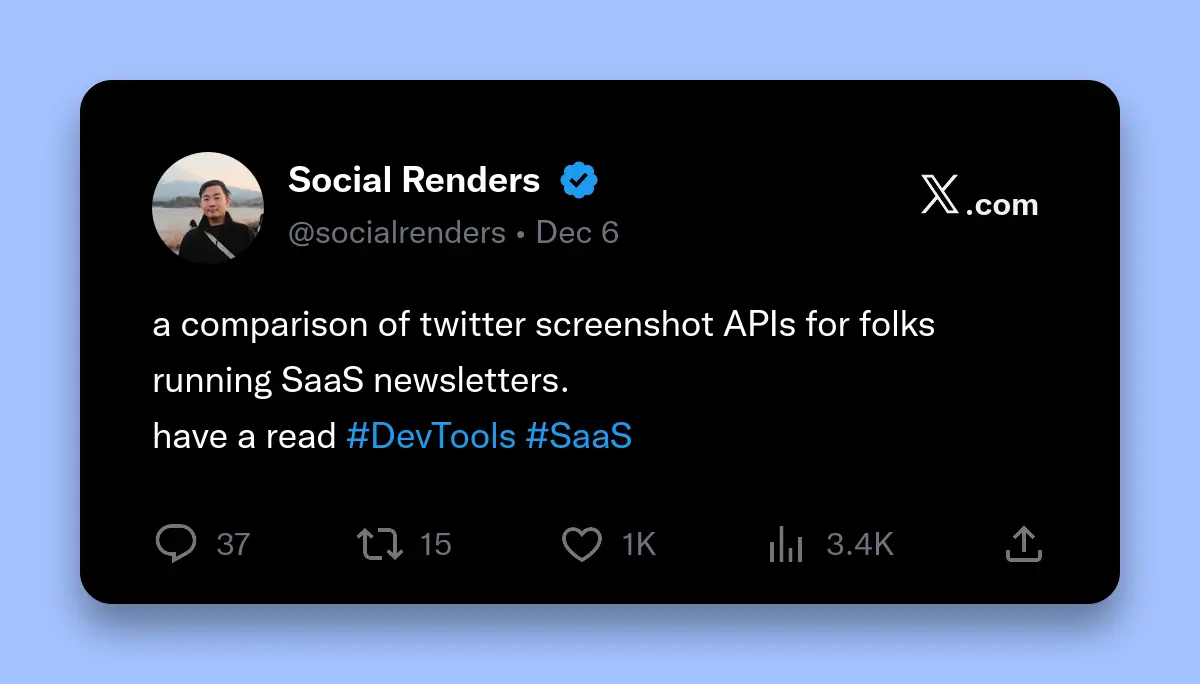
What is the Best Twitter Screenshot API for SaaS Newsletters?
The best Twitter screenshot API for SaaS newsletters is Social Renders. It provides a simple REST API with automatic image hosting, costs $0-5.99/month, requires no server infrastructure, and supports 50 free API calls monthly. Puppeteer is free but needs 2GB RAM and complex setup.
Newsletter creators waste hours manually screenshotting tweets every week. Browser extensions break. Manual workflows don't scale past 50 subscribers. Twitter embeds slow page load by 3 seconds and break when tweets delete.
This comparison analyzes 5 Twitter screenshot solutions based on speed, infrastructure requirements, pricing, and ease of integration. All data comes from production testing with real SaaS newsletters sending 500+ emails weekly.
Complete Comparison: 5 Best Twitter Screenshot APIs
This comparison tests real production scenarios: generating 100 tweet screenshots weekly for a SaaS newsletter with 2,000 subscribers.
| Solution | Type | Speed | Setup Time | Monthly Cost | Infrastructure |
|---|---|---|---|---|---|
| Social Renders | API | ~2 seconds | 5 minutes | $0-5.99 | None |
| Puppeteer | Self-hosted | 3-5 seconds | 2 hours | $20 (server) | 2GB RAM |
| ScreenshotOne | API | 1-2 seconds | 10 minutes | $0-499 | None |
| Playwright | Self-hosted | 2-4 seconds | 1 hour | $20 (server) | 1.5GB RAM |
| Cloudinary | API | 1-2 seconds | 30 minutes | $0-99 | None |
Key Comparison Metrics
| Feature | Social Renders | Puppeteer | ScreenshotOne | Playwright | Cloudinary |
|---|---|---|---|---|---|
| Multi-platform | ✅ Twitter, Reddit, LinkedIn, Threads | ✅ All sites | ✅ All sites (generic) | ✅ All sites | ⚠️ Design templates |
| Social media optimized | ✅ Twitter, Reddit UI exact | ❌ Manual setup required | ❌ Generic screenshots | ❌ Manual setup required | ⚠️ Template-based |
| Custom branding | ✅ Backgrounds, shadows | ✅ Full control | ⚠️ Via CSS injection | ✅ Full control | ✅ Templates |
| Free tier | ✅ 50/month | ✅ Unlimited (server cost) | ✅ 100/month | ✅ Unlimited (server cost) | ✅ 25/month |
| Maintenance | ✅ None | ❌ 5+ hours/month | ✅ None | ❌ 3+ hours/month | ✅ None |
| Image hosting | ✅ 48 hours included | ❌ Separate service | ❌ Separate service | ❌ Separate service | ✅ Permanent |
Puppeteer - Best for Self-Hosted Control
Puppeteer is a free Node.js library for browser automation. Best for developers who need full control and already manage server infrastructure. Requires 2GB RAM, complex setup, and ongoing Chrome maintenance.
Why Choose Puppeteer
- Free and open source: No per-request API costs
- Full browser control: Complex interactions, custom JavaScript execution
- Any website: Not limited to Twitter, works on all sites
- Complete customization: Exact viewport sizes, custom fonts, injected CSS
Puppeteer Drawbacks for Newsletters
- Slow generation: 3-5 seconds per screenshot (vs sub-second APIs)
- High memory usage: 2GB+ RAM required, memory leaks common
- Complex setup: Chrome dependencies, font installation, security sandboxing
- Maintenance burden: Chrome updates break code, debugging browser crashes
- Server costs: $20-50/month for dedicated server with sufficient RAM
Total Cost Analysis
Puppeteer appears free but has hidden costs. Server hosting costs $20-50/month. Setup takes 2 hours. Maintenance averages 5 hours monthly debugging crashes and updates. At $100/hour developer rate, monthly cost is $520-550.
Best for: Developers already running Node.js servers who need to screenshot sites beyond Twitter, or need complex browser interactions APIs can't provide.
ScreenshotOne - Best for General Website Screenshots
ScreenshotOne captures any webpage at 1-2 seconds per screenshot via REST API. Best for teams screenshotting diverse websites beyond just social media. Free tier provides 100 screenshots monthly. Not optimized for Twitter specifically but handles all URLs.
Why Choose ScreenshotOne for Newsletters
ScreenshotOne works for any URL, not just Twitter. Screenshot competitor websites, landing pages, Reddit threads, LinkedIn posts, and product pages. Generate 1-2 seconds per screenshot. Free tier includes 100 screenshots monthly. Full-page capture supported for long articles. Custom viewports match desktop, mobile, or tablet displays.
What Are ScreenshotOne's Limitations for Newsletters
ScreenshotOne screenshots full webpages, not isolated tweet cards. You must manually build Twitter URLs (twitter.com/user/status/id) yourself. Cannot add branded backgrounds or shadows via the API. Returns raw PNG binary only—requires separate CDN for image hosting. Extra cropping and styling work needed for polished newsletter graphics. Better for general web screenshots than social media automation.
Best for: Teams screenshotting diverse websites beyond social platforms, or developers comfortable with post-processing and custom styling workflows.
Playwright - Best for Modern Browser Automation
Playwright is a modern browser automation library supporting Chrome, Firefox, and Safari. Faster than Puppeteer at 2-4 seconds per screenshot. Requires server infrastructure and technical expertise. Better API than Puppeteer but similar infrastructure costs.
Why Choose Playwright
- Faster than Puppeteer: 2-4 seconds vs 3-5 seconds per screenshot
- Cross-browser testing: Chrome, Firefox, Safari support
- Better API design: More intuitive than Puppeteer
- Auto-wait features: Smarter element detection, fewer timeouts
Playwright Drawbacks
- Still needs server: 1.5GB RAM required, server costs $20-40/month
- Maintenance required: Browser updates, dependency management
- Slower than APIs: 2-4x slower than Social Renders
Best for: Teams already using Playwright for testing who want to reuse infrastructure for screenshot generation.
Cloudinary - Best for Branded Social Cards
Cloudinary generates social media cards from templates, not authentic tweet screenshots. Best for branded graphics with tweet quotes overlaid on custom designs. Permanent image hosting included. Starts at $0/month with 25 credits.
Why Choose Cloudinary
- Design templates: Beautiful branded social cards
- Permanent hosting: Images hosted on Cloudinary CDN forever
- Free tier: 25 transformations/month
- Image optimization: Automatic format conversion, responsive sizes
Cloudinary Limitations for Newsletters
- Not authentic screenshots: Template designs, not real Twitter UI
- Manual design work: Requires creating templates first
- Less automated: More design-focused than automation-focused
Best for: Marketing teams wanting branded social graphics, not authentic tweet screenshots.
Which Twitter Screenshot API Should You Choose?
Choose Social Renders for SaaS newsletters needing fast automation with zero infrastructure. Choose Puppeteer for complex interactions requiring full browser control. Choose ScreenshotOne for general website screenshots beyond social media. Choose Playwright for existing test automation. Choose Cloudinary for branded graphics.
Decision Framework
Choose Social Renders if:
- You send newsletters weekly with 20-100+ tweet screenshots
- You want zero infrastructure and zero maintenance
- You need multi-platform support (Twitter + Reddit + LinkedIn)
- You want to start in 5 minutes, not 2 hours
- Budget is $0-5.99/month
Choose Puppeteer if:
- You already run Node.js servers with 2GB+ RAM
- You need complex browser interactions (clicking, scrolling, forms)
- You screenshot sites beyond Twitter (custom web apps)
- Developer time is free (in-house team)
Choose ScreenshotOne if:
- You screenshot many different websites, not just social media
- You need general-purpose screenshot capabilities
- You're comfortable with URL construction and post-processing
- Free tier of 100 screenshots/month fits your needs
Choose Playwright if:
- You already use Playwright for E2E testing
- You can reuse existing infrastructure
- You need cross-browser screenshots (Chrome, Firefox, Safari)
Choose Cloudinary if:
- You want branded social graphics, not authentic screenshots
- Design quality matters more than authenticity
- You need permanent image hosting on CDN
Cost Comparison for 400 Screenshots/Month
| Solution | API/Server Cost | Setup Time | Monthly Maintenance | Total Monthly Cost |
|---|---|---|---|---|
| Social Renders | $5.99 | 5 min ($0) | 0 hours ($0) | $5.99 |
| Puppeteer | $25 server | 2 hours ($200) | 5 hours ($500) | $525 (first month $725) |
| ScreenshotOne | $29 | 10 min ($17) | 0 hours ($0) | $29 (first month $46) |
| Playwright | $25 server | 1 hour ($100) | 3 hours ($300) | $325 (first month $425) |
| Cloudinary | $99 | 30 min ($50) | 0 hours ($0) | $99 (first month $149) |
Developer time calculated at $100/hour. Server costs assume dedicated instance with required RAM.
Getting Started Today
For most SaaS newsletters, Social Renders offers the best balance of speed, cost, and ease of use. Start generating screenshots in 5 minutes:
- Sign up for free (no credit card required)
- Get your API key from the dashboard
- Generate your first screenshot with the code example above
- Test with 50 free API calls per month
- Upgrade to unlimited for just $5.99/month when you scale
Need help integrating? Check the API documentation for complete guides on Node.js, Python, Pipedream, n8n, and Airtable integrations.
Still comparing options? Test Social Renders free for 50 screenshots, then benchmark against your current solution. Most newsletters see 3-5x faster generation and zero infrastructure costs.
Social Renders - Best for Newsletter Automation
Social Renders generates Twitter screenshots via REST API with automatic CDN hosting. No server infrastructure, no Chrome dependencies, no maintenance. Best for SaaS newsletters needing fast automation with minimal setup.
Why Social Renders for Newsletters
Code Example: Generate Newsletter Screenshots
Pricing Breakdown
For a newsletter with 100 screenshots weekly, the monthly plan costs just $5.99 total. Zero server costs, zero maintenance hours.